





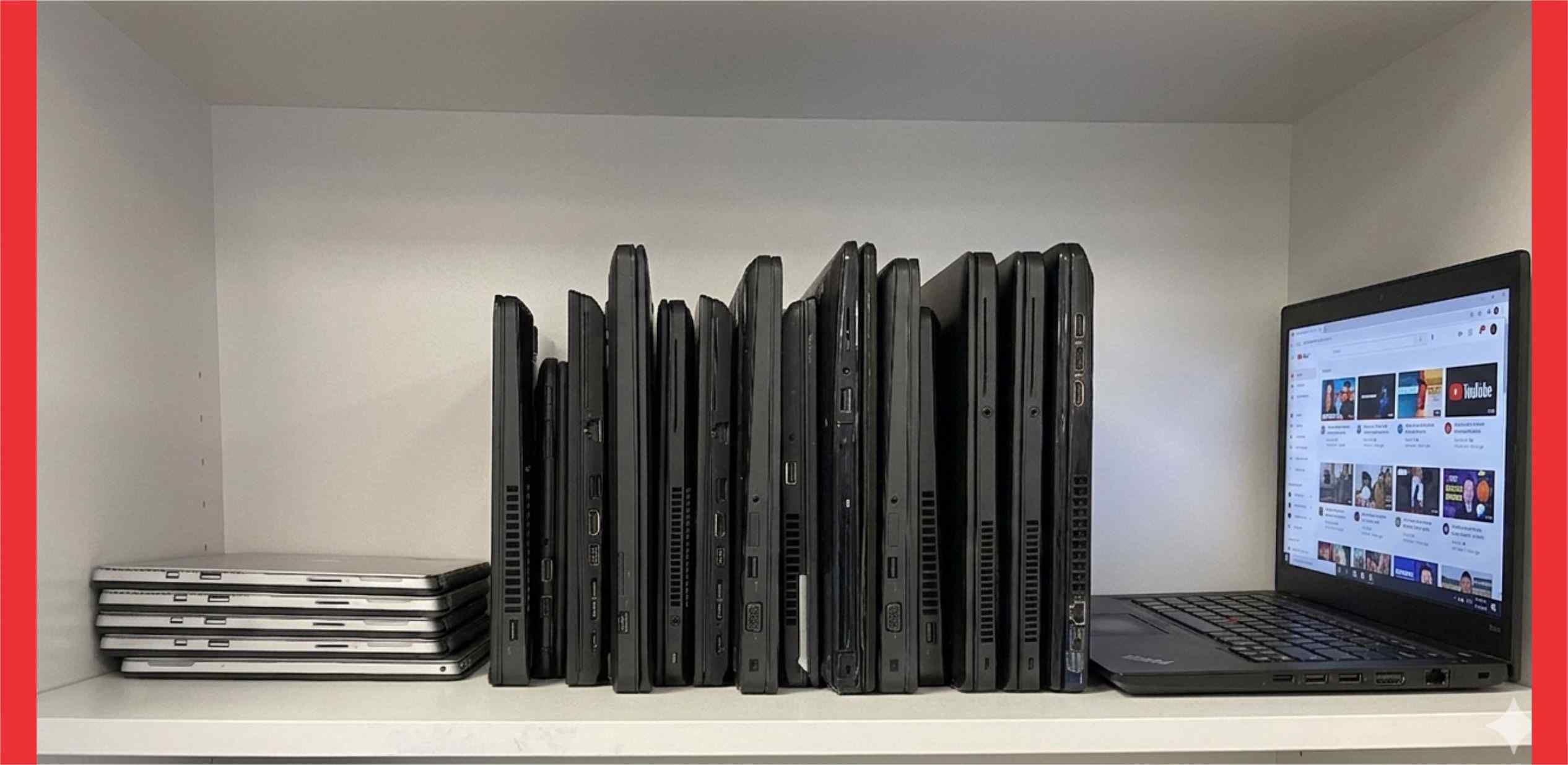
The seller on Jiji says, “Send a small deposit, I’ll hold it for you.” You hesitate. In Nigeria, knowing how to spot a fake laptop isn’t just a tech skill. It’s a financial survival skill.
Step into Computer Village in Ikeja. Generators hum. Sellers call out, “Oga, clean UK used!” The pressure is real. Decisions happen fast. Mistakes happen faster.
Aunty Gloria, a caterer from Ibadan, saved ₦280,000 in her OPay account over six months. That’s like buying roughly 90 crates of eggs from the market. She wanted a laptop for her son’s JAMB registration. She got a “Core i7” that turned out to be an old Celeron with a fresh sticker. Her money didn’t just reduce. It disappeared.
This guide shows you how to avoid that outcome.
Why Fake Laptops Are a Growing Problem in Nigeria’s 2026 Market
The laptop market has changed. Exchange rates move fast. When the naira weakens, genuine UK-used laptops become harder to price competitively. Margins shrink.
That creates a temptation. Some sellers swap original batteries for weak ones, relabel processors, or mix parts from different machines.
Think of it like groundnut oil. When prices rise, some sellers quietly mix it with palm oil to keep prices attractive. The laptop market works the same way.
For a student or small business owner, one bad laptop delays work, blocks income, and forces another purchase. You’re not just losing money once. You’re paying twice for the same problem.
How to Spot a Fake Laptop in Nigeria: Start with the Seller
Before you touch the laptop, check the seller. This is where most people fail.
The Physical Address Test
Don’t ask “Where are you located?” Ask something specific. “I’m near Ojuwoye Market. Where can I walk to meet you?” A real seller gives a clear landmark. A scammer avoids specifics.
The Payment Pressure Check
If a seller demands advance payment before inspection, walk away. It’s like a market woman refusing to let you check the yam before you pay. The risk is too high.
The Business Identity Question
Ask for a shop name or trade association number. Serious Computer Village sellers usually belong to trade groups. Even if you don’t verify it yourself, their reaction tells you a lot.
Computer Village vs Jiji vs Alaba: Where’s the Safest Buy?
| Platform | Risk | Advantage |
|---|---|---|
| Computer Village, Ikeja | Battery swaps, mixed parts | Test on the spot. Like buying pepper in the market, you inspect before you pay. |
| Jiji / Online | Advance fee scams | Sometimes cheaper. But you’re buying from a photo and only see problems after payment. |
| Alaba International | High-pressure selling | Parts and repairs nearby. Like Ladipo market, knowledge is your biggest advantage. |
Every platform has risk. Your job is to reduce it.
The 15-Minute Test to Check a Tampered UK Used Laptop
Most people skip this step. Don’t.
1. The BIOS Check
Restart the laptop. Press F2 or F10 to open system information. If the BIOS shows a different model from the sticker, something’s wrong. It’s like a car with a 2020 body and a 2005 engine. Walk away.
2. Battery Test
Unplug the charger. Play a YouTube video for 3 minutes. If the battery drops 6% to 10% fast, it’s weak. A replacement can cost ₦15,000 to ₦30,000, roughly two months of mobile data for most students.
Want a deeper check? Open Command Prompt and type: powercfg /batteryreport. Check the cycle count. Anything above 500 means heavy wear. Think of a taxi that’s done 500 long-distance trips without a service. The engine’s tired.
3. Screen Test
Open a plain white or black image. Look for tiny fixed dots. Dead pixels look like grains of sand stuck on the screen and they won’t go away.
4. Hinge and Port Test
Open and close the laptop slowly. Plug in a USB device. Looseness or creaking usually means it’s been opened and reassembled poorly.
5-Minute Computer Village Survival Cheat Sheet
Save this on your phone before you enter any market.
- Right-click “This PC” and confirm the RAM and processor
- Restart into BIOS and verify the true model
- Check the screws underneath for scratches or stripped heads
- Run the 3-minute battery drain test
- Inspect the screen for dead pixels
If any one of these fails, pause. Don’t let seller pressure rush you into a decision.
The Hidden Risks Nobody Warns You About
Keylogger Threat
A tampered laptop may carry hidden malware that records your passwords. Using it for mobile banking is risky. It’s like reading your ATM PIN out loud in a crowded danfo.
The New Budget Laptop Trap
Many brand-new laptops in the ₦180k to ₦250k range use eMMC storage instead of SSD. They’re much slower. It’s like buying a car that can’t go above 40 km/h. It works, technically. But it limits everything you try to do. See [INTERNAL: Best Budget Laptops Under 250k Nigeria] before you settle for one.
No Return Reality
Returning a faulty laptop in Nigeria is hard. Most sellers have short or vague warranty terms. Always ask before you pay.
FAQ
How do I spot a fake UK used laptop in Alaba market?
Check the screws under the laptop. Scratched or stripped screw heads suggest prior repairs. It’s like spotting fresh stitching on a supposedly brand-new fabric.
How do I verify a laptop’s serial number?
Check the serial on the manufacturer’s website, then compare with what shows in the BIOS. If they don’t match, walk away. A matching sticker alone isn’t proof of anything.
What’s the fastest test for a weak battery?
Unplug the charger and play a heavy video. If the battery drops sharply within five minutes, it’s worn. Factor the replacement cost into any price negotiation before you agree to buy.
BuyerMetrics Bottom Line:
Aunty Gloria could have saved her ₦280,000 with a 15-minute check. Her son would be studying right now, not waiting for repairs.
Don’t rely on a seller’s word. Verify the laptop yourself. Save these steps on your phone before you step into any market.
Still building your budget? Check NELFUND Student Loan Application Guide and True Cost of a Student Laptop in Nigeria 2026.
The Nigerian laptop market is fast and unforgiving. The buyer who checks always wins over the buyer who trusts blindly.
Can you afford to learn this lesson after you’ve already paid?